
If you want your website to rank higher on Google, your sitemap plays a bigger role than you think. Many business owners focus only on content and backlinks, but without a properly structured sitemap, search engines may miss important pages.
Whether you run a blog, eCommerce store, or business website, understanding Sitemap Examples can help you improve crawling, indexing, and overall visibility. Even the Best SEO Company in Dubai recommends building a strong sitemap structure before scaling SEO efforts.
In this detailed guide, you’ll learn:
- What does a sitemap look like
- Why sitemap is important for SEO
- XML sitemap examples
- HTML sitemap examples
- Website sitemap sample structures
- How to create XML sitemap for website
- How to submit sitemap to Google Search Console
- Best sitemap structure for SEO
Let’s start from the basics.
What Is a Sitemap?
A sitemap is a file that lists all important pages of your website. It helps search engines like Google understand:
- What pages exist
- How pages are connected
- Which pages are important
- When pages were last updated
If you’re wondering what does a sitemap look like, it can be in two main formats:
- XML format (for search engines)
- HTML format (for users)
Understanding different Sitemap Examples makes it easier to choose the right structure for your website.
Why Sitemap Is Important for SEO
Many website owners ask: Why sitemap is important for SEO?
Here are the key reasons:
1. Faster Indexing
Google can find your new pages faster when you provide a sitemap.
2. Better Crawl Efficiency
Search engines use your sitemap as a roadmap. It tells them which pages matter most.
3. Helpful for Large Websites
If you have hundreds or thousands of pages, a proper sitemap example for website ensures nothing is missed.
4. Useful for New Websites
New websites usually have fewer backlinks. A website sitemap sample helps Google discover pages quickly.
5. Supports SEO Sitemap Optimization
A well-structured sitemap improves technical SEO and crawl budget usage.
In short, learning from powerful Sitemap Examples directly improves your SEO foundation.
7 Powerful Sitemap Examples for Stronger Website SEO
Now let’s explore practical and real-world Sitemap Examples that can improve your rankings.
1. Basic XML Sitemap Example
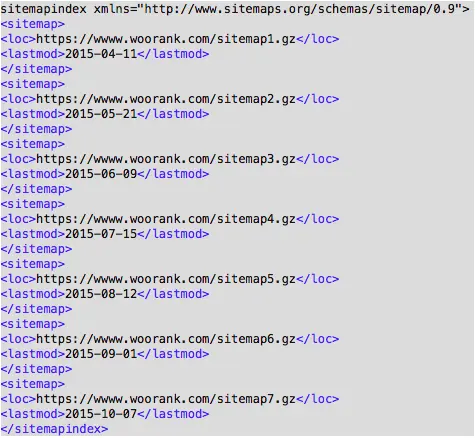
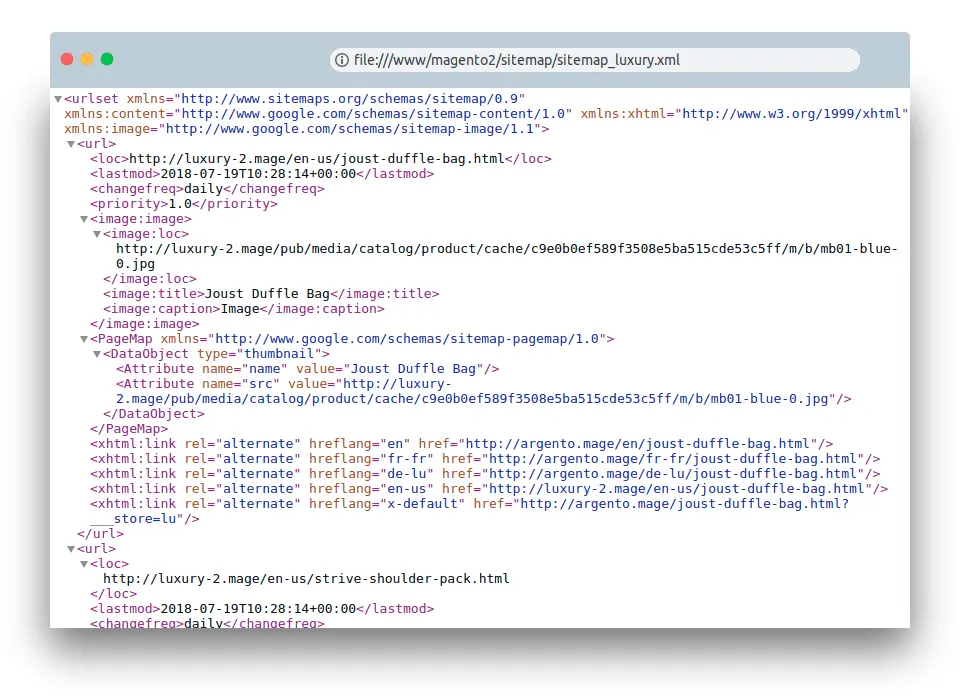
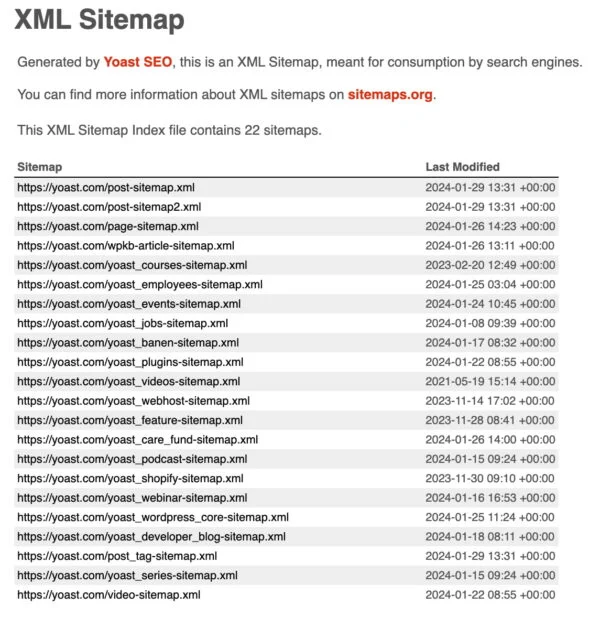
An XML sitemap is created mainly for search engines.
Here is a simple XML sitemap format:
<?xml version=”1.0″ encoding=”UTF-8″?>
<urlset xmlns=”http://www.sitemaps.org/schemas/sitemap/0.9″>
<url>
<loc>https://www.example.com/</loc>
<lastmod>2026-03-01</lastmod>
<changefreq>monthly</changefreq>
<priority>1.0</priority>
</url>
</urlset>
This XML sitemap example includes:
- <loc> – Page URL
- <lastmod> – Last updated date
- <changefreq> – Update frequency
- <priority> – Importance level
This is the most common sitemap example for website owners who want better indexing.
2. HTML Sitemap Example
Unlike XML, HTML sitemap examples are made for users.
An HTML sitemap looks like a normal webpage listing links such as:
Home
About Us
Services
Blog
Contact
This website sitemap sample helps visitors:
Navigate easily
Find hidden pages
Improve user experience
It also supports SEO sitemap optimization by improving internal linking.
3. eCommerce Sitemap Example
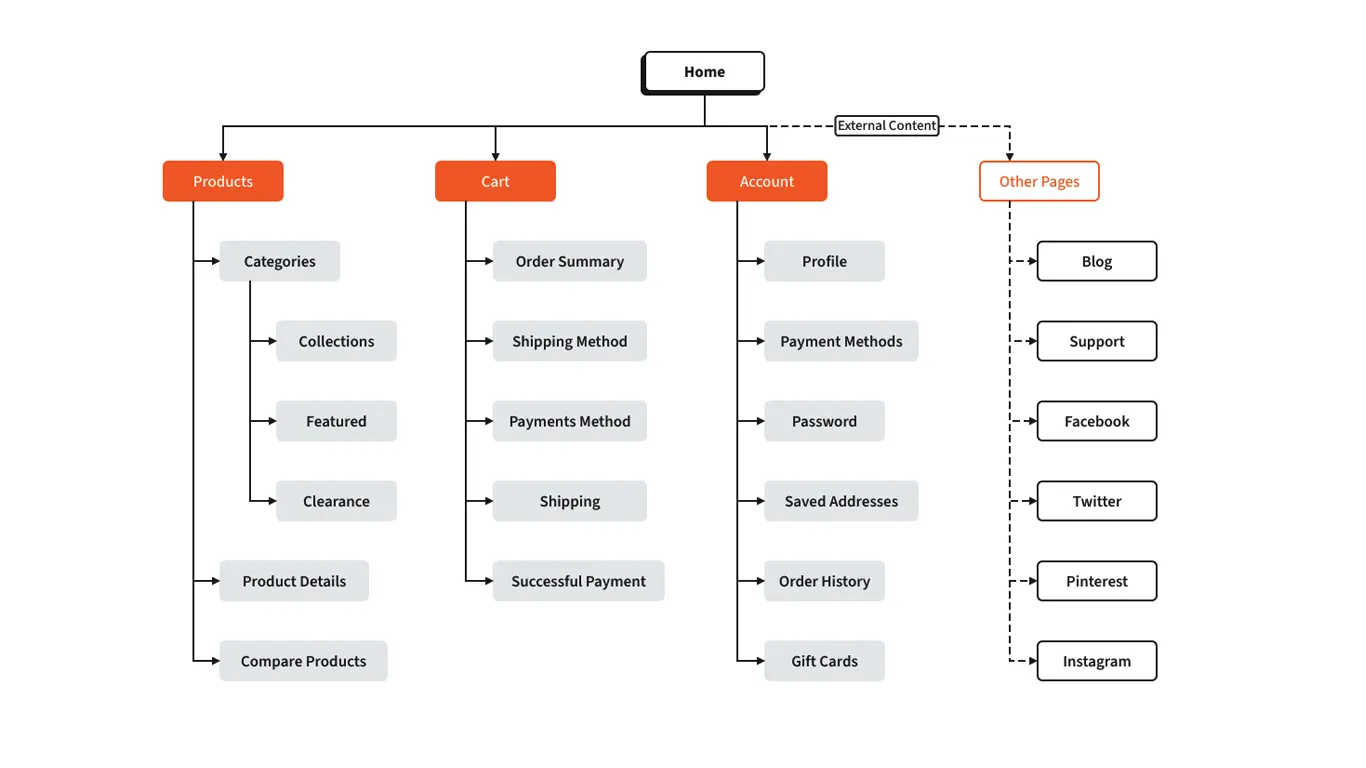
Online stores need advanced Sitemap Examples because they have:
- Category pages
- Product pages
- Filter pages
- Blog pages
Best sitemap structure for SEO in eCommerce includes:
- Separate sitemap for products
- Separate sitemap for categories
- Separate sitemap for blog
This keeps your XML sitemap format clean and organized.
4. Blog Sitemap Example
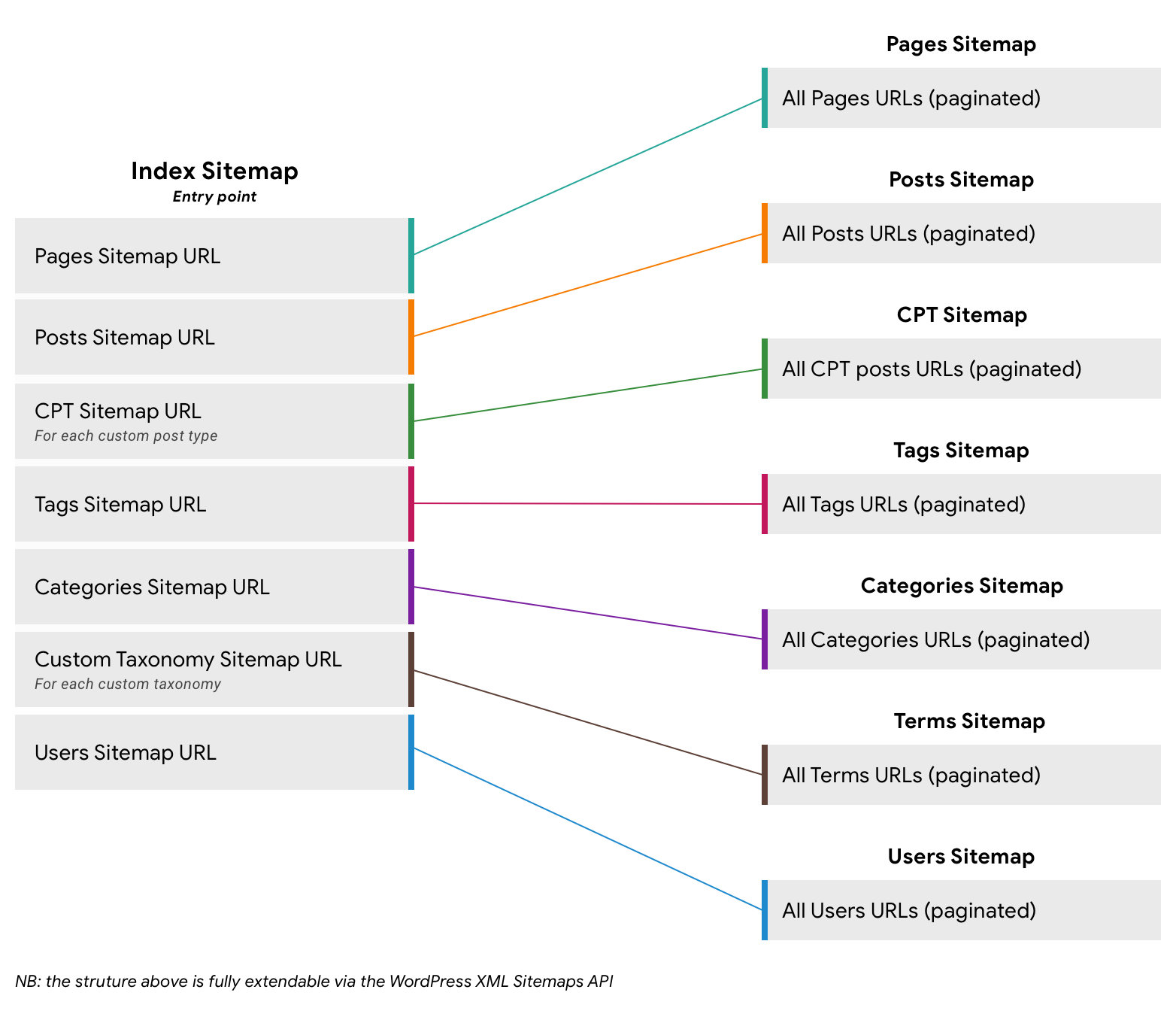
For content-heavy websites, blog-based Sitemap Examples are essential.
A blog sitemap should include:
- Blog posts
- Categories
- Tags (optional)
If you’re using WordPress, plugins automatically generate XML sitemap examples for blogs.
This is especially useful when learning how to create XML sitemap for website owners running content marketing campaigns.
5. Sitemap Example for Beginners
If you’re new, start simple.
A beginner-friendly sitemap example for website includes:
- Homepage
- Service pages
- Contact page
- Blog
Do not overcomplicate it.
Many beginners search for Sitemap Examples because they feel technical SEO is complex. But the truth is, a simple XML sitemap format works perfectly for small websites.
6. Image Sitemap Example
If your website depends on visuals, image-based Sitemap Examples help Google understand your media files.
This is useful for:
- Photography websites
- eCommerce stores
- Portfolio websites
An image sitemap improves visibility in Google Images.
7. News Sitemap Example
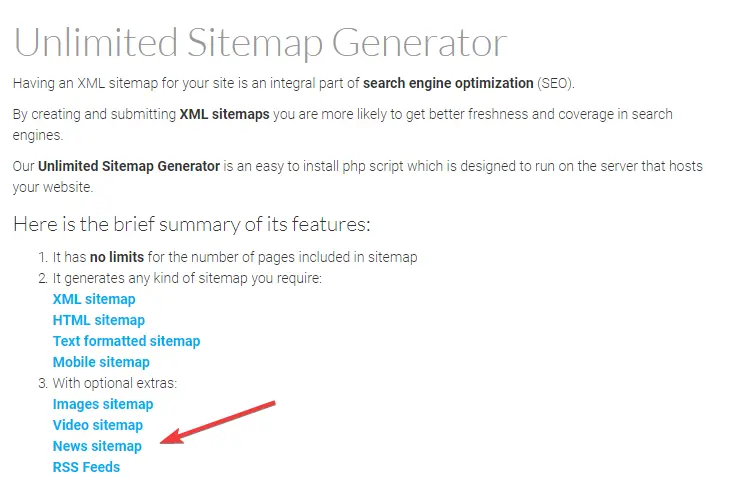
If you publish daily news articles, you need specialized Sitemap Examples.
Google News sitemap includes:
- Publication name
- Language
- Article title
- Publication date
This improves visibility in Google News results.
How to Create XML Sitemap for Website
Now let’s answer the common question: How to create XML sitemap for website?
You have 3 simple options:
1. Use CMS Plugins
WordPress (Yoast SEO, Rank Math)
Shopify built-in sitemap
Wix automatic sitemap
2. Use Online Generators
Free tools generate XML sitemap examples automatically.
3. Create Manually
For developers, manually building XML sitemap format gives full control.
Make sure:
Only indexable pages are included
No duplicate URLs
No broken links
This ensures proper SEO sitemap optimization.
How to Submit Sitemap to Google Search Console
After creating your sitemap, the next step is to submit sitemap to Google.
Follow these steps:
- Login to Google Search Console
- Select your property
- Click “Sitemaps”
- Enter sitemap URL (example.com/sitemap.xml)
- Click Submit
If you’re wondering how to submit sitemap to Google Search Console, this process takes less than 2 minutes.
Submitting is important because it tells Google directly where your XML sitemap examples are located.
Best Sitemap Structure for SEO
The best sitemap structure for SEO should be:
- Clean
- Organized
- Updated regularly
- Under 50,000 URLs per sitemap file
- Less than 50MB
For large websites, use a sitemap index file that links multiple sitemap files together.
Strong Sitemap Examples always follow proper hierarchy:
Homepage
→ Categories
→ Subcategories
→ Pages
This improves crawl depth and authority flow.
Common Sitemap Mistakes to Avoid
Even good Sitemap Examples fail if mistakes exist.
Avoid:
- Including noindex pages
- Adding duplicate URLs
- Not updating lastmod date
- Forgetting to submit sitemap to Google
- Blocking sitemap in robots.txt
SEO sitemap optimization requires regular monitoring.
What Does a Sitemap Look Like in Real Life?
To summarize:
- XML sitemap format looks like structured code.
- HTML sitemap examples look like a structured webpage list.
- Website sitemap sample varies depending on website type.
If you’re still confused about what does a sitemap look like, remember: it is simply a structured list of URLs.
EEAT Perspective: Why Technical Accuracy Matters
From an EEAT (Experience, Expertise, Authoritativeness, Trustworthiness) point of view:
- Accurate XML sitemap examples improve technical trust.
- Updated sitemap example for website shows maintenance.
- Proper submission process builds credibility.
Google prefers websites that show structured, well-maintained systems.
When you implement the right Sitemap Examples, you are not just helping search engines — you are building long-term digital authority.
Conclusion
Understanding powerful Sitemap Examples is not optional anymore. It is a core part of technical SEO.
Let’s recap:
- Sitemap improves crawling
- Helps indexing
- Supports internal linking
- Essential for large and new websites
- Easy to create and submit
Whether you’re a beginner or an advanced SEO professional, using the right sitemap example for website will strengthen your SEO foundation.
If you haven’t created one yet, start today.
Your rankings depend on it.