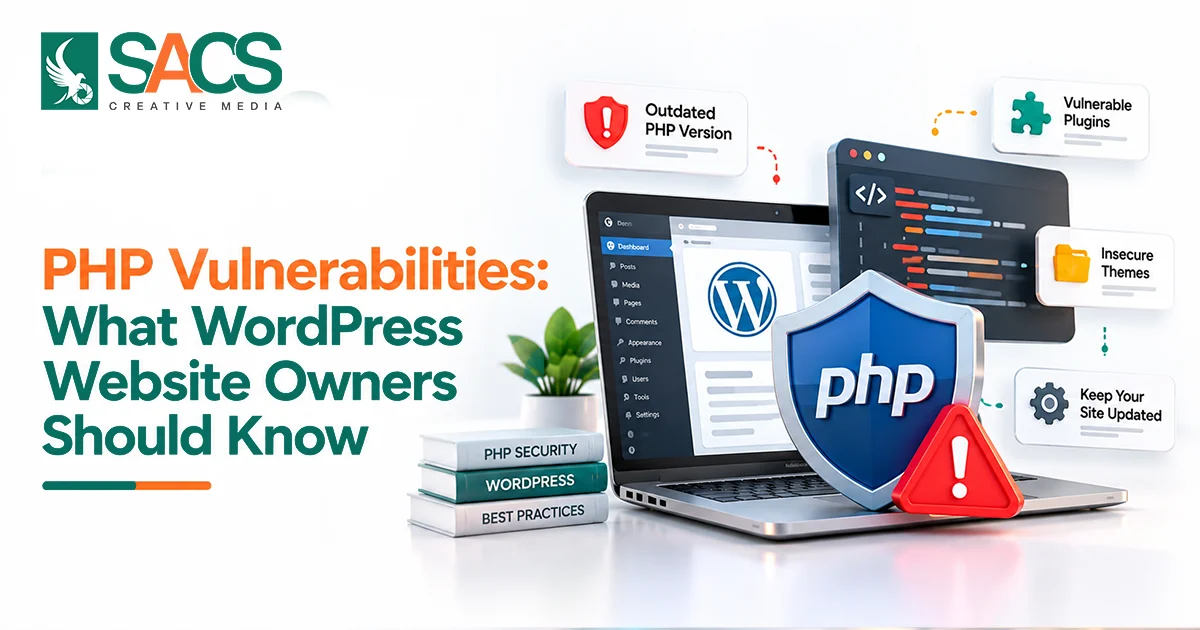
PHP Vulnerabilities can expose WordPress websites to security threats, including unauthorised access, data theft, and remote code execution. Recent critical PHP security updates released on October 21, 2026, highlight the importance of keeping server software updated alongside WordPress and its plugins.
For businesses, a security incident can lead to website downtime, exposed customer information, lost trust, and potential SEO problems. Understanding these risks helps website owners take practical steps to protect their websites and maintain a reliable online presence.
What Are PHP Vulnerabilities?
PHP Vulnerabilities are weaknesses in PHP software or PHP-based applications that attackers may exploit to perform unauthorised actions.
On a WordPress website, these weaknesses may affect several components:
- PHP runtime: The software environment that executes PHP code on the server.
- WordPress core: The files responsible for the platform’s main functionality.
- Plugins and themes: Third-party extensions that add features and customise website design.
- Custom code: PHP functions developed for specific website requirements.
- Server configuration: Settings and permissions that influence how securely the website operates.
Identifying the affected component is essential because each issue requires the appropriate fix. For example, a PHP runtime vulnerability needs a relevant server-side security patch, while a plugin vulnerability requires an update or fix from the plugin developer.
Understanding this difference helps website owners choose the right solution instead of relying on general WordPress updates alone.
The Latest Critical PHP Security Issues in October 2026
Two critical PHP vulnerabilities disclosed in October 2026 have made server-level security an immediate concern for WordPress website owners.
According to the PHP project’s security announcements, releases published on October 21, 2026, address CVE-2026-109618 and CVE-2026-109619. Both vulnerabilities received a CVSS v4.0 severity score of 9.2 and can potentially allow unauthenticated remote code execution under certain conditions.
In simple terms, remote code execution means an attacker may be able to run their own code on an affected server without first logging in.
CVE-2026-109618: Remote Code Execution Through Memory Corruption
This vulnerability involves how PHP handles an out-of-memory condition.
When PHP reaches its configured memory limit at a particular point during a request, internal data may be left in an invalid state. Under certain conditions, an attacker could exploit this problem to execute code on the server.
CVE-2026-109619: Remote Code Execution Through Stale Internal State
The second vulnerability involves internal data that can remain referenced after its memory has been released.
If a later request uses this stale state under the right conditions, an attacker may exploit the weakness to execute code.
Both issues affect PHP itself rather than a particular WordPress plugin or theme. The PHP project has released fixes in PHP 8.5.12, 8.4.27, 8.3.36, and 8.2.35. The appropriate patched build depends on the PHP branch and hosting environment.
What should website owners do? Contact your hosting provider and ask them to confirm that the PHP build serving your website includes fixes for both vulnerabilities. If you manage your own server, install the appropriate patched package and restart the relevant PHP services.
Simply updating WordPress or installing a security plugin is not enough to fix these particular vulnerabilities.
Why WordPress Websites May Be at Risk
WordPress uses PHP to execute its core functionality, plugins, themes, and custom features. This means a weakness in the PHP runtime can affect a website independently of its WordPress version.
For example, a website may have updated plugins, strong administrator passwords, and a security plugin installed. However, if the server runs a vulnerable PHP build, attackers may still have an opportunity to exploit the underlying software.
A successful attack could allow access to information or files available to the PHP process. Depending on the server configuration and permissions, the impact may include changes to website content, database access, or malicious code being added to website files. It does not automatically mean an attacker gains complete control of the server.
The recent PHP security incident reinforces an important principle: website security depends on the application, the server, and the software running behind it.
Common PHP Vulnerabilities That Affect WordPress Websites
WordPress websites can face different security threats depending on their PHP code, plugins, themes, and server configuration. Understanding these vulnerabilities helps website owners recognise potential risks and take appropriate preventive measures.
SQL Injection
SQL injection occurs when an application handles user input unsafely while building database queries.
If a search feature or form uses improperly constructed queries, an attacker may be able to access or modify database information. Developers can reduce this risk by using prepared statements, appropriate WordPress database functions, and proper input handling.
Cross-Site Scripting (XSS)
Cross-site scripting happens when untrusted content is displayed in a way that allows unwanted scripts to run in a visitor’s browser.
An insecure comment system, form, or plugin may introduce this weakness. Developers should validate input where appropriate and escape output according to its context.
Remote Code Execution
Remote code execution is one of the most serious security risks because it may allow an attacker to execute commands or code on a vulnerable server.
The October 2026 PHP security issues are examples of this threat. Other vulnerabilities in plugins, themes, and custom code can also create opportunities for remote code execution.
Insecure File Uploads
Websites that allow visitors to upload files must check those files carefully. Poor validation, unsafe storage locations, or incorrect permissions may allow dangerous files to be uploaded or executed.
Developers should restrict permitted file types, validate uploads on the server, and prevent uploaded files from running as executable scripts where appropriate.
How to Check Whether Your WordPress Website Is Affected
Website owners can begin checking their PHP environment directly from the WordPress dashboard.
Step 1: Check your PHP version.
Log in to WordPress and navigate to Tools → Site Health → Info → Server. Review the displayed PHP version and server API information.
This helps identify the runtime serving your website, but the version number alone may not confirm whether every security fix has been applied.
Step 2: Contact your hosting provider.
Ask whether the PHP build serving your website has been patched against CVE-2026-109618 and CVE-2026-109619.
This is particularly important for shared hosting and managed WordPress plans, where the provider controls server-level updates.
Step 3: Check the vendor’s security information.
Hosting providers and operating system vendors may apply security fixes to existing packages without changing the visible upstream version number.
For this reason, do not assume that a lower version number always means the server is unpatched. Ask your provider to verify the installed package against its security advisory or changelog.
Step 4: Review other website components.
Check WordPress core, plugins, themes, and custom-developed features for outstanding security updates. These components require separate maintenance, even after PHP has been patched.
Step 5: Investigate unusual activity.
Look for unfamiliar administrator accounts, unexpected file changes, suspicious redirects, and website content that you did not publish.
These signs do not automatically confirm a compromise, but they should be investigated promptly.
Best Practices to Protect Your WordPress Website
Protecting a website requires ongoing attention to both software updates and everyday security controls.
Keep PHP and WordPress Updated
Install security updates promptly and use PHP versions that receive security support.
The PHP project maintains an official support schedule showing which branches receive active development and security fixes. Website owners should review the PHP supported versions page and plan upgrades before their current branch reaches the end of support.
Before changing PHP versions, create a backup and test the update in a staging environment where possible. Older plugins or custom features may require compatibility changes.
Review Plugins and Themes Regularly
Install extensions from trusted sources and review their update history, compatibility, and maintenance status.
Remove plugins and themes that are no longer needed. Avoid pirated software because modified or untrusted packages may contain malicious code.
Strengthen Login Security
Use unique passwords for WordPress, hosting, and database accounts. Enable multi-factor authentication where available and limit administrator access to authorised team members.
Remove accounts that are no longer required and review user permissions periodically.
Maintain Secure Backups
Create regular backups of website files and databases. Store copies separately from the production server and test the restoration process.
Backups can help restore normal operations after a security incident, but they do not prevent attacks. If a website has been compromised, verify that the backup is clean before restoring it.
Monitor Website Activity
Security monitoring can help identify suspicious logins, unexpected file changes, and other unusual activity.
A reputable security plugin or web application firewall can provide useful protection against many application-level threats. However, these tools cannot replace a PHP runtime patch when the vulnerability exists below the WordPress application.
Include monitoring in your Website Security Practices by reviewing alerts, checking important website changes, and ensuring that your hosting environment remains updated.
How Professional WordPress Development Supports Website Security
A secure website requires more than attractive design and functional pages. Its underlying code, server environment, and maintenance process must also be managed properly.
Experienced developers can review custom PHP code, improve input validation, secure database queries, and check file upload handling. They can also test PHP upgrades, identify outdated dependencies, and help establish a reliable update and backup schedule.
When evaluating a WordPress development company in Dubai, ask how it handles security updates, compatibility testing, vulnerability fixes, backups, and ongoing website maintenance.
A professional development process can reduce avoidable weaknesses and make security issues easier to identify. However, developers and website owners must also coordinate with the hosting provider when a vulnerability affects the PHP runtime.
Conclusion
The October 2026 PHP security updates highlight the importance of checking the software that runs behind your WordPress website. Even when WordPress and its plugins are up to date, an unpatched PHP runtime can leave your website exposed.
Start by confirming that your hosting provider has applied the relevant security patches. Then review your website’s software, check your backups, and establish a routine for monitoring security issues.
Taking a proactive approach to PHP security helps you identify weaknesses early, reduce potential disruption, and maintain a safer experience for your website visitors.