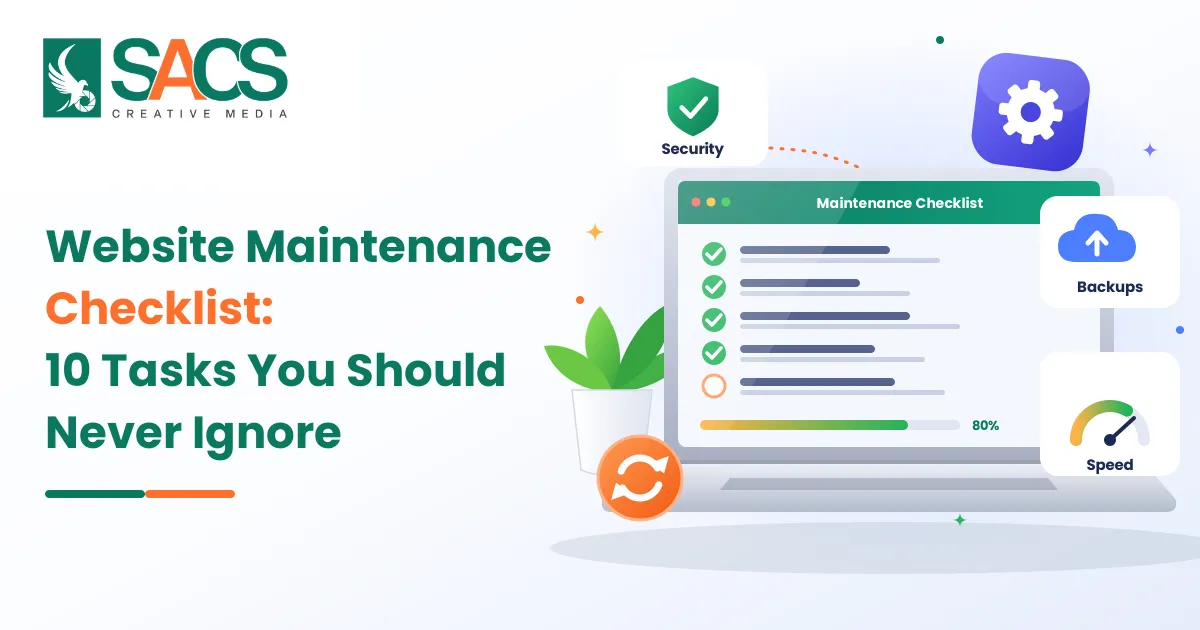
A Website Maintenance Checklist helps businesses keep their websites secure, fast, functional and updated while preventing technical problems that can affect customer experience and search engine visibility. Launching a website is only the first step. Regular maintenance is equally important to ensure that pages load correctly, contact forms work, security systems remain active and visitors can access the information they need.
Many businesses focus on website design and development but overlook what happens after launch. Outdated plugins, broken links, expired security certificates, slow-loading pages and old content can gradually affect website performance. Even a professionally developed website can lose its effectiveness without regular attention.
In 2026, maintaining a website requires more than checking whether the homepage opens correctly. Businesses must also monitor website security, mobile performance, search visibility, backups and overall functionality.
Whether you manage a WordPress website, an eCommerce store or a custom-built business website, these 10 essential maintenance tasks will help you keep your website running smoothly.
Why Is Regular Website Maintenance Important?
A website represents your business online. Potential customers often visit it before contacting your team, requesting a quotation or purchasing a product. If they encounter broken pages, outdated information or slow loading times, they may leave and choose another business.
Regular maintenance helps businesses:
- Protect websites against security threats and unauthorised access.
- Improve loading speed and overall website performance.
- Prevent broken links, missing images and technical errors.
- Maintain a positive experience across mobile devices and desktops.
- Keep business information, services and contact details accurate.
- Identify technical SEO problems that affect search visibility.
- Reduce the risk of unexpected downtime and expensive repairs.
Website maintenance also supports long-term business growth by ensuring that your online platform continues to meet customer expectations.
10 Essential Website Maintenance Tasks You Should Never Ignore
A good maintenance routine should cover security, performance, functionality, content and technical health. The following tasks provide a practical approach for business owners.
1. Update Your Website Software, Plugins and Themes
Keeping your website software updated is one of the most important maintenance tasks. Content management systems such as WordPress regularly release updates to improve functionality, fix bugs and address security vulnerabilities.
Plugins and themes also receive updates to maintain compatibility and improve performance.
Running outdated software can expose your website to known security weaknesses. It can also create compatibility issues that affect important website features.
What should you check?
- Check for available CMS updates regularly.
- Update installed plugins and website themes.
- Remove unused or unsupported plugins.
- Check compatibility before installing major updates.
- Test important website features after completing updates.
For WordPress websites, avoid installing every update directly on the live website without preparation. Take a fresh backup first and use a staging environment to test major changes whenever possible.
Keeping your website software updated reduces technical risks and helps maintain a stable website.
2. Create Regular Website Backups
Imagine spending months developing your website and suddenly losing important pages, customer information or product details because of a server failure or cyberattack.
Without a reliable backup, recovering your website can become difficult and expensive.
Backups create copies of your website files and database, allowing you to restore information if something goes wrong.
What should you include in your backups?
- Website files, including images, documents and themes.
- Database information, including posts, pages and settings.
- Product details and customer-related information where applicable.
- Important website configurations.
- Custom code and development changes.
The backup frequency should depend on how often your website changes. An active eCommerce website may require daily or more frequent backups, while a smaller business website may need a different schedule.
Keep backup copies in a separate storage location rather than relying entirely on your hosting server.
Most importantly, test the restoration process periodically. A backup is only useful when you know it can successfully restore your website.
3. Monitor Website Security and Protect User Information
Website security should never be treated as a one-time task. Cyber threats continue to evolve, and websites can become vulnerable through outdated software, weak passwords, insecure configurations and unnecessary user permissions.
Following appropriate Website Security Practices helps protect business information and builds customer confidence.
Start by checking whether your website uses HTTPS with a valid SSL/TLS certificate. Review administrator accounts and remove access that is no longer required.
Essential security checks include:
- Use strong, unique passwords for administrator accounts.
- Enable two-factor authentication wherever supported.
- Install security updates without unnecessary delays.
- Monitor suspicious login attempts and unusual activity.
- Scan for malware and unexpected file changes.
- Remove unused plugins, themes and administrator accounts.
- Review hosting security settings and firewall protection.
For websites that collect customer details or process online payments, security deserves additional attention. Make sure payment processing follows the requirements of your payment provider and applicable security standards.
Do not assume that installing a security plugin makes a website completely safe. Security requires regular monitoring, updates, access control and reliable backups.
4. Check Website Loading Speed and Core Web Vitals
Website speed directly affects how visitors interact with your business. Most people expect important website content to appear quickly, especially when browsing through mobile devices.
A slow website can frustrate visitors, increase abandonment and reduce opportunities for enquiries or sales.
Google uses Core Web Vitals to evaluate important aspects of real-world user experience. The three key metrics are:
| Metric | What It Measures | Recommended Target |
|---|---|---|
| Largest Contentful Paint (LCP) | Loading performance | 2.5 seconds or less |
| Interaction to Next Paint (INP) | Responsiveness | Less than 200 milliseconds |
| Cumulative Layout Shift (CLS) | Visual stability | Less than 0.1 |
These recommended thresholds help businesses understand whether their website provides a good user experience. Google recommends monitoring these metrics through its Core Web Vitals reporting resources.
How can you improve website speed?
- Compress large images without reducing their quality unnecessarily.
- Enable browser caching and suitable page caching.
- Minimise unnecessary CSS and JavaScript.
- Use a reliable hosting provider.
- Reduce unnecessary third-party scripts.
- Consider a Content Delivery Network (CDN).
- Review oversized videos and other heavy media files.
Use Google PageSpeed Insights and Google Search Console to identify performance issues and monitor improvements.
Remember that achieving good Core Web Vitals scores does not guarantee first-page rankings. However, better performance contributes to a more satisfying browsing experience.
5. Test Contact Forms, Buttons and Website Functionality
A website can look perfectly fine while important features work incorrectly in the background.
For example, a visitor may complete your enquiry form but never receive a confirmation message. Similarly, a phone number may be displayed correctly but fail to open the calling application on a mobile device.
These small problems can result in missed business opportunities.
Make functional testing part of your regular maintenance routine.
Check the following elements:
- Contact forms and enquiry submissions.
- Email notifications and confirmation messages.
- Click-to-call phone numbers.
- WhatsApp and other communication buttons.
- Login and registration functions.
- Shopping carts and checkout processes.
- Search bars and navigation menus.
- Downloadable documents and website links.
If you operate an eCommerce website, place test orders using an appropriate testing process to verify the complete purchasing journey.
Do not limit testing to the homepage. Visit important service pages, landing pages and conversion-focused sections to confirm that everything works as expected.
6. Find and Fix Broken Links and 404 Errors
Broken links create a frustrating experience for visitors. They occur when a linked page has been deleted, a URL has changed or an external website is no longer available.
A visitor clicking a service link and reaching a 404 error page may leave without exploring your business further.
Regular link checking helps maintain website usability and supports search engine crawling.
What should you review?
- Internal links between important website pages.
- External links pointing to other websites.
- Navigation menu links.
- Links within blog articles.
- Image links and downloadable resources.
- Pages returning 404 errors.
When changing a URL, use an appropriate 301 redirect if the page has permanently moved and a relevant replacement exists.
Avoid redirecting every missing page to the homepage. Redirect visitors to the most relevant replacement page whenever possible.
Google Search Console can help identify indexing and crawling issues that require investigation.
7. Review and Update Website Content
Publishing content regularly is useful, but maintaining existing information is equally important.
Business services, product details, prices, contact information and company policies can change over time. If your website continues displaying outdated information, visitors may lose confidence in your business.
Review your important pages to ensure that the information remains accurate and useful.
Content maintenance activities include:
- Updating service descriptions and product information.
- Correcting outdated contact details.
- Replacing old images and promotional banners.
- Reviewing blog articles for outdated information.
- Updating statistics and references where necessary.
- Removing duplicate or irrelevant content.
- Checking grammar, spelling and formatting.
For example, a Dubai-based company may introduce a new service or change its business hours. If the website still displays the previous information, potential customers may receive incorrect details.
Review your content based on its importance and how frequently the information changes. Do not update pages simply to change their publication dates. Make meaningful improvements that help visitors.
8. Check Mobile Responsiveness and Website Design Elements
Most businesses receive visitors from different devices, including smartphones, tablets and desktop computers. Your website should provide a consistent experience across all screen sizes.
A page that looks professional on a desktop may become difficult to use on a smartphone because of small text, overlapping sections or poorly positioned buttons.
Review your Website Design Elements regularly to ensure that the layout remains user-friendly.
Important areas to check include:
- Responsive layouts across different screen sizes.
- Text readability and appropriate font sizes.
- Image dimensions and alignment.
- Button placement and clickable areas.
- Navigation menus and dropdown functionality.
- Spacing between website sections.
- Accessibility of important content.
Pay particular attention to enquiry forms and navigation. Visitors should be able to find information and contact your business without unnecessary effort.
Also check whether recent content updates or design changes have affected the mobile layout.
Google recommends considering mobile display, secure connections and overall page experience when evaluating website quality.
9. Monitor Website SEO and Search Console Reports
Website maintenance is not limited to technical performance. Search engine visibility also needs regular attention.
A website may experience changes in organic traffic because of indexing issues, broken redirects, missing pages or technical problems.
Use Google Search Console to monitor how Google accesses and understands your website.
Important SEO checks include:
- Review indexed and non-indexed pages.
- Identify unexpected indexing errors.
- Check XML sitemap availability.
- Review robots.txt configuration.
- Monitor organic clicks, impressions and average positions.
- Identify important pages losing search visibility.
- Check canonical tags and redirect behaviour.
- Review Core Web Vitals reports.
Also review Google Analytics or another suitable analytics platform to understand visitor behaviour and conversion activity.
Combine these technical checks with relevant Website Marketing Strategies to ensure that your website continues attracting the right audience.
For businesses targeting local customers, review location details, service areas and business contact information across relevant website pages.
Avoid making unnecessary technical changes simply because a metric fluctuates. Identify the actual problem before implementing a solution.
10. Review Hosting, Domain and SSL Certificate Expiry
Your website depends on more than its design and content. Hosting, domain registration and security certificates are essential components that keep it accessible.
If your domain expires, visitors may be unable to access your website. Similarly, hosting problems can result in unexpected downtime.
An expired or incorrectly configured security certificate can also trigger browser warnings and affect customer trust.
Make these checks part of your maintenance routine:
- Check your domain registration and renewal date.
- Enable automatic renewal where appropriate.
- Confirm that hosting payments are up to date.
- Monitor server performance and available storage.
- Check SSL/TLS certificate validity and renewal.
- Review hosting resource limits.
- Confirm that important hosting notifications reach the right person.
Do not rely only on renewal reminders. Keep a record of important dates and verify that renewals have been completed successfully.
How Often Should You Perform Website Maintenance?
Not every maintenance task needs to be completed daily. The ideal frequency depends on your website type, traffic, security requirements and how often you publish new information.
Here is a practical maintenance schedule for business websites.
| Frequency | Maintenance Activities |
|---|---|
| Daily | Monitor uptime and critical security alerts; check automated backups for high-activity websites. |
| Weekly | Review updates, backup status, security notifications and website availability. |
| Monthly | Test forms, review website speed, check broken links and monitor Search Console reports. |
| Quarterly | Test backup restoration, review user accounts, remove unused plugins and assess website performance. |
| Yearly | Review domain and hosting arrangements, software support, website content and overall business requirements. |
This schedule is a starting point, not a fixed rule. An online store processing daily orders needs more frequent checks than a small informational website.
The most important thing is to assign responsibility for each task and maintain a record of completed work.
Common Website Maintenance Mistakes Businesses Should Avoid
Even businesses that understand the importance of maintenance sometimes make avoidable mistakes.
Here are some common issues to watch out for:
1. Ignoring updates: Delaying important security and software updates can leave your website exposed to known vulnerabilities.
2. Depending on backups without testing: A backup that cannot be restored will not help when your website experiences a serious problem.
3. Installing unnecessary plugins: Too many plugins can increase maintenance complexity and create compatibility or security risks.
4. Ignoring mobile performance: A website that works well on desktops may still frustrate smartphone users.
5. Checking only the homepage: Problems often occur on individual service pages, forms, checkout pages and landing pages.
6. Treating SEO as a one-time activity: Technical SEO, content accuracy and indexing issues require ongoing attention.
Avoiding these mistakes can make website management easier and reduce the likelihood of unexpected problems.
Final Thoughts
A website needs continuous attention to remain secure, functional and effective. Regular updates, reliable backups, security monitoring, speed optimisation, content reviews and SEO checks all contribute to long-term website performance.
Following a structured Website Maintenance Checklist helps business owners identify problems early, protect their online presence and provide visitors with a better browsing experience.
At SACS Creative Media, we understand that a successful website requires more than an attractive design. Our team supports businesses with website design, development, SEO and digital marketing solutions that help maintain a professional online presence. If your website needs technical improvements, performance optimisation or ongoing maintenance, working with an experienced team can help you keep it running smoothly while focusing on your business growth.