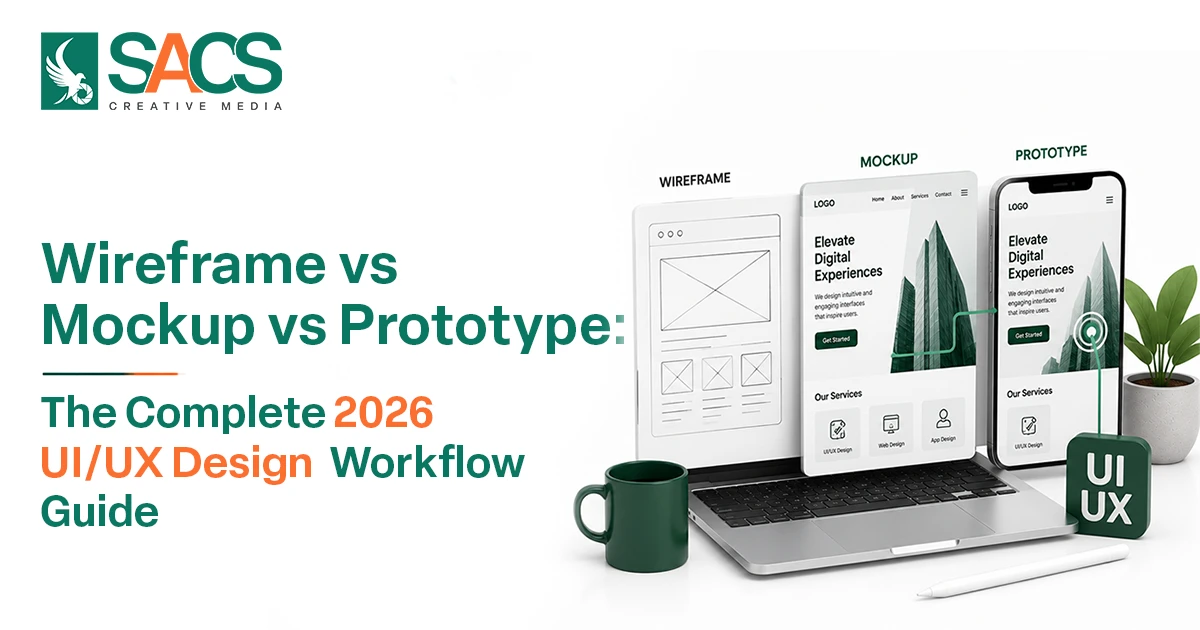
Wireframe, mockup, and prototype are the three core stages of modern UI/UX design that help transform an idea into a successful digital product. Whether you’re creating a website, mobile app, or SaaS platform, understanding these stages is essential for building user-friendly experiences and reducing costly development mistakes.
For businesses working with a web design agency in Dubai or managing an in-house design team, knowing the difference between a wireframe, mockup, and prototype can improve communication, speed up approvals, and ensure the final product meets user expectations. Each stage plays a unique role in the UI/UX Design Process, from planning layouts to validating interactions before development begins.
Many business owners, startup founders, and even new designers often confuse these terms. While they are closely connected, they serve different purposes within the UX Design Workflow. Understanding when and how to use each one can save time, reduce development costs, improve collaboration, and create better digital experiences.
In this guide, you’ll learn the key differences between a wireframe, mockup, and prototype, when to use each stage, practical examples, and how they fit into the modern UI/UX design workflow in 2026.
What is a Wireframe?
A wireframe is the basic blueprint of a digital product. It focuses on structure, layout, navigation, and content placement without visual styling.
Think of a wireframe as the architectural plan of a building. It shows where elements should be placed before colors, images, and branding are added.
A typical wireframe includes:
- Navigation menus
- Content sections
- Buttons and forms
- User flow structure
- Page hierarchy
The primary goal of a wireframe is to establish functionality and user flow early in the design stage.
Benefits of Using a Wireframe
- Helps organize content effectively
- Improves stakeholder communication
- Identifies usability issues early
- Saves design and development costs
- Creates a strong foundation for future design stages
In modern Wireframing in UX Design, teams often create low-fidelity layouts first and gradually refine them based on user feedback.
What is a Mockup?
A mockup is a visual representation of the final product. Unlike a wireframe, it includes colors, typography, branding elements, icons, and imagery.
At this stage, designers focus on how the interface will look rather than how it will function.
A mockup helps stakeholders visualize the finished product before development begins.
A typical mockup contains:
- Brand colors
- Typography styles
- UI components
- Images and illustrations
- Visual hierarchy
The purpose of a mockup is to present the visual design and gather feedback on aesthetics.
Benefits of Using a Mockup
- Provides a realistic product preview
- Aligns design with brand identity
- Helps gain stakeholder approval
- Improves communication with developers
- Reduces design revisions later
A good Mockup Design Guide always recommends validating branding and visual consistency before moving into interactive testing.
What is a Prototype?
A prototype is an interactive version of the design that simulates how users will interact with the final product.
Unlike a wireframe or mockup, a prototype allows users to click buttons, navigate pages, and experience workflows.
Designers use a prototype to test functionality before investing in development.
A typical prototype may include:
- Clickable navigation
- Interactive buttons
- User journeys
- Page transitions
- Functional simulations
The main purpose of a prototype is usability testing and validation.
Benefits of Using a Prototype
- Reveals usability issues early
- Improves user experience decisions
- Reduces development risks
- Validates user journeys
- Supports stakeholder demonstrations
The modern Prototype Design Process often includes multiple testing cycles before final handoff to developers.
What is the Difference Between Wireframe, Mockup, and Prototype?
Understanding the difference between these design assets is essential for building efficient digital products.
A wireframe focuses on structure.
A mockup focuses on appearance.
A prototype focuses on interaction.
Together, these three stages create a complete and efficient design workflow.
When to Use Wireframes, Mockups, and Prototypes
Many teams ask whether they need all three. The answer depends on project complexity, budget, and goals.
Use a Wireframe When
- Starting a new project
- Planning page structure
- Defining user journeys
- Organizing content
- Discussing requirements with stakeholders
A wireframe is most valuable during the planning stage of the Product Design Process.
Use a Mockup When
- Presenting visual concepts
- Establishing branding
- Getting client approvals
- Finalizing UI elements
- Creating design systems
A mockup helps everyone understand how the final product will look before development begins.
Use a Prototype When
- Testing user experience
- Validating workflows
- Conducting usability research
- Demonstrating product functionality
- Preparing for development
A prototype is especially important for mobile apps, SaaS platforms, and complex websites where user interactions directly affect business results.
Wireframe Mockup Prototype Examples
Let’s look at a simple example of an eCommerce product page.
Stage 1: Wireframe Example
The wireframe shows:
- Product image placeholder
- Product title location
- Price section
- Add-to-cart button
- Customer reviews area
There are no colors or visual details.
Stage 2: Mockup Example
The mockup introduces:
- Brand colors
- Product photography
- Typography styles
- Icons
- Visual hierarchy
The page now resembles the final design.
Stage 3: Prototype Example
The prototype allows users to:
- View product images
- Select product variations
- Add items to cart
- Navigate between pages
- Complete checkout simulations
This progression demonstrates how a wireframe evolves into a mockup and eventually into a fully interactive prototype.
Modern UI/UX Design Workflow 2026
The digital design landscape continues to evolve rapidly. In 2026, successful teams follow a user-centered UI/UX Design Process that prioritizes research, validation, and continuous improvement.
A modern UX Design Workflow typically follows these stages:
1. User Research
Designers gather insights through:
- User interviews
- Surveys
- Competitor analysis
- Behavioral research
- Market studies
Research helps teams understand user needs before creating solutions.
2. Information Architecture
Content is organized into a logical structure that supports navigation and usability.
This stage establishes the foundation for effective Wireframing in UX Design.
3. Wireframing
Designers create a wireframe for key pages and user flows.
The goal is to validate layouts and user journeys before investing in visual design.
4. Visual Design and Mockups
Once layouts are approved, designers create a mockup that reflects the brand identity and visual experience.
This stage often includes design systems and reusable UI components.
5. Interactive Prototyping
The next step is building a prototype to simulate real interactions.
The Prototype Design Process helps teams identify friction points and improve usability before development starts.
6. User Testing
Users interact with the prototype while designers collect feedback and identify issues.
Testing often reveals valuable insights that may not appear during internal reviews.
7. Design Handoff
Final designs are shared with developers using tools such as Figma, Adobe XD, or other collaborative platforms.
Detailed specifications help ensure accurate implementation.
8. Continuous Optimization
Modern products are never truly finished.
Teams monitor user behavior, gather feedback, and continuously improve experiences after launch. This iterative approach has become a standard part of the Product Design Process in 2026.
How AI Is Transforming the UI/UX Design Workflow in 2026
Artificial Intelligence is changing how designers create wireframes, mockups, and prototypes. Tasks that once took days can now be completed in hours using AI-powered design tools.
Modern platforms can generate a wireframe from a simple text prompt, suggest layouts based on user behavior, and automatically organize content structures. This helps designers spend less time on repetitive tasks and more time solving user problems.
AI is also accelerating mockup creation by generating UI components, color palettes, typography suggestions, and design variations. Teams can quickly explore multiple visual directions before selecting the best option.
The biggest impact is seen in the prototype stage. AI tools can create interactive user flows, simulate user interactions, and identify usability issues before testing begins. This speeds up the validation process and improves design accuracy.
However, AI is not replacing designers. Instead, it is streamlining the UI/UX Design Process by reducing manual work and enabling faster decision-making. Human creativity, empathy, and strategic thinking remain essential for creating meaningful user experiences.
As part of the modern UX Design Workflow, AI is helping teams move from idea to prototype faster than ever while maintaining a strong focus on user needs.
Why Businesses Should Not Skip Any Stage
Some businesses attempt to move directly from an idea to development. While this may seem faster, it often leads to costly revisions later.
A structured workflow provides several advantages:
- Better user experience
- Lower development costs
- Faster project approval
- Improved stakeholder alignment
- Higher product success rates
Using a wireframe, mockup, and prototype strategically helps teams reduce uncertainty and make informed decisions throughout the project lifecycle.
Best Tools for Wireframing, Mockups, and Prototyping in 2026
Several tools support the entire UI/UX Design Process from planning to testing.
Popular options include:
- Figma
- Adobe XD
- Sketch
- Framer
- UXPin
- Axure RP
These platforms allow designers to create a wireframe, develop a mockup, and build a prototype within a single workflow.
The right tool depends on team size, project requirements, and collaboration needs.
Conclusion
Understanding the difference between a wireframe, mockup, and prototype is essential for creating successful digital products in 2026.
A wireframe defines structure and user flow. A mockup brings visual design and branding to life. A prototype adds interaction and enables real user testing.
Rather than choosing one over another, the most effective teams use all three as part of a complete UX Design Workflow. This approach reduces risks, improves collaboration, and helps deliver products that meet both business goals and user expectations.
Whether you’re designing a website, mobile application, SaaS platform, or eCommerce store, following a structured UI/UX Design Process ensures that every design decision is validated before development begins.