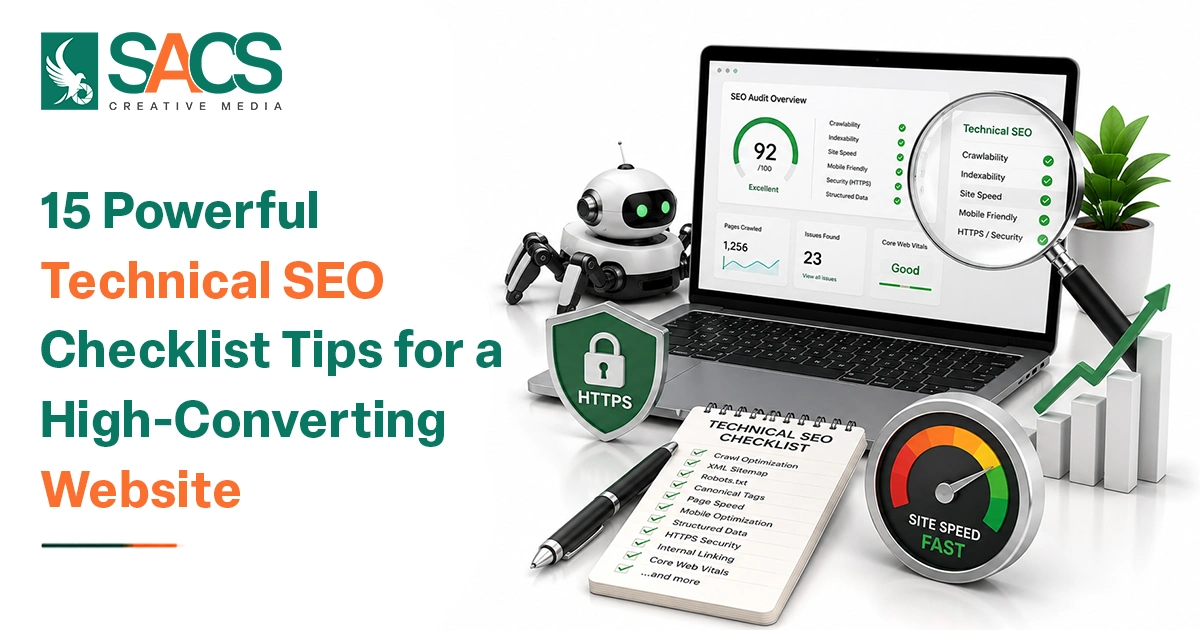
A website can have excellent content and attractive visuals, but hidden technical issues can still prevent it from performing well in search results. That is why Technical SEO Checklist Tips are essential for improving crawlability, speed, usability, and overall website performance.
For businesses competing in a fast-moving digital market, technical SEO is not something to fix only when rankings drop. A proactive approach helps search engines understand your website while making it easier for visitors to browse, trust, and convert. A Best SEO Company in Dubai will typically treat technical SEO as an ongoing process rather than a one-time task.
Why Technical SEO Matters for Conversions
Technical SEO is not only about rankings. It can directly influence how people experience your website.
A slow website can cause visitors to leave before viewing your offer. Broken links can create frustration. Poor mobile usability can make forms difficult to complete. Confusing navigation can prevent users from finding important products or services.
That makes Technical SEO Checklist Tips useful from both an SEO and conversion perspective. When technical improvements reduce friction, visitors can move more naturally from discovering your website to exploring your services and taking action.
15 Powerful Technical SEO Checklist Tips
1. Make Sure Your Website Is Crawlable
Search engines need to access your important pages before they can understand and potentially rank them. Review your robots.txt file and make sure valuable pages are not accidentally blocked. Check whether important resources such as CSS and JavaScript can also be accessed when required. Avoid blocking pages simply because they are not intended to rank. Instead, use appropriate technical directives based on the purpose of each page.
2. Check Website Indexability
Crawling and indexing are not the same thing. A search engine may crawl a page but decide not to index it. Review your important URLs in Google Search Console and look for issues such as:
- Pages marked with
noindex - Duplicate pages
- Discovered but currently not indexed pages
- Server errors
- Redirect problems
- Canonical conflicts
One of the most useful Technical SEO tips is to regularly compare your important website URLs against the pages Google has actually indexed.
3. Create and Maintain an XML Sitemap
An XML sitemap provides search engines with a structured list of URLs that you want them to discover. Your sitemap should generally contain important, indexable, canonical URLs rather than every URL generated by your website.
After creating or updating your sitemap, submit it through Google Search Console and monitor whether Google can process it successfully. A clean sitemap becomes particularly valuable for large websites, ecommerce stores, and websites that frequently publish new content.
4. Optimize Your Robots.txt File
The robots.txt file gives search engine crawlers instructions about which areas they can or cannot access. However, it should be used carefully. Blocking the wrong directory or URL pattern can prevent search engines from discovering important resources. As part of your Technical SEO checklist for websites, review your robots.txt file after major website updates, migrations, CMS changes, or redesigns.
5. Improve Website Loading Speed
Nobody enjoys waiting for a website to load. Slow pages can negatively affect user experience, engagement, and conversions. Review image sizes, browser caching, JavaScript, CSS, third-party scripts, server response time, and unnecessary plugins. Use tools such as Google PageSpeed Insights and Lighthouse to identify performance opportunities.
You do not need to make every page technically perfect overnight. Start with the issues that create the greatest impact for users.
6. Optimize Core Web Vitals
Core Web Vitals provide useful signals related to real-world page experience.
Pay particular attention to:
- Largest Contentful Paint (LCP): Measures loading performance.
- Interaction to Next Paint (INP): Measures responsiveness.
- Cumulative Layout Shift (CLS): Measures visual stability.
Improving these metrics can make your website feel faster and more reliable, especially for users accessing it through mobile devices.
7. Make Your Website Mobile-Friendly
Mobile users expect websites to work smoothly on smaller screens. A page that looks impressive on desktop but is difficult to navigate on mobile can quickly lose potential customers. Check font sizes, buttons, menus, images, forms, spacing, and horizontal scrolling. Test important conversion pages on different screen sizes. Mobile optimization should be considered a fundamental part of modern Technical SEO best practices, not an optional improvement.
8. Fix Broken Links and 404 Errors
Broken links can create poor user experiences and interrupt the path visitors take through your website. Regularly identify internal links that lead to deleted or unavailable pages. Replace outdated links with relevant destinations whenever possible.
For permanently removed pages, use appropriate redirects when there is a relevant replacement. Avoid redirecting every broken URL to the homepage simply to eliminate errors.
9. Use HTTPS and Maintain Website Security
HTTPS protects the connection between users and your website while creating a more trustworthy browsing experience. Make sure your SSL certificate is valid and that all important versions of your website consistently use HTTPS. Also check for mixed-content issues, where secure pages load certain resources through insecure HTTP connections. Website security is particularly important for ecommerce websites, lead-generation websites, and any business collecting customer information.
10. Create a Clear Website Architecture
Your website structure should make sense to both visitors and search engines. Organize related pages into logical categories and make important pages accessible through straightforward navigation. Avoid creating unnecessary layers that force users or crawlers to move through too many pages.
A well-planned structure also makes internal linking easier and helps distribute relevance across related pages. When reviewing Technical SEO Checklist Tips, think beyond individual pages and examine how the entire website connects together.
11. Use Canonical URLs Correctly
Duplicate or near-duplicate content can create confusion about which version of a page should be considered the primary URL. Canonical tags help communicate your preferred version to search engines.
Review canonical implementation carefully, particularly on ecommerce websites where product filters, sorting parameters, tracking parameters, and variations can create multiple URL versions. A canonical tag should point to a valid, indexable URL that represents the preferred version of the content.
12. Manage Redirects Properly
Redirects are useful when URLs change, pages are permanently removed, or websites undergo migrations. For permanent URL changes, a relevant 301 redirect can help guide users and search engines to the new destination. Avoid long redirect chains and loops.
Ideally, the old URL should lead directly to the final relevant URL rather than passing through several intermediate redirects. Redirect checks should be a standard part of any Technical SEO audit checklist.
13. Add Structured Data Where Relevant
Structured data helps search engines understand specific information on your pages. Depending on your website, relevant schema types may include Organization, LocalBusiness, Product, Article, Breadcrumb, Event, or FAQ-related structured data where eligible and appropriate.
Do not add schema simply to add more markup. The structured data should accurately represent visible and relevant information on the page. Always validate implementations and monitor them after website changes.
14. Strengthen Internal Linking
Internal links connect related pages and help users discover useful information. For example, a blog about technical website optimization could link naturally to relevant service pages, guides, or supporting articles. Use descriptive anchor text that gives users a clear idea of what they will find after clicking.
Avoid adding excessive internal links simply for SEO purposes. Strong internal linking can support navigation, topical relevance, and the discovery of important pages.
15. Conduct Regular Technical SEO Audits
Technical SEO should not be treated as a “fix it once and forget it” activity. Websites constantly change. New plugins are installed, pages are deleted, redirects are added, templates are modified, and developers introduce updates. Any of these changes can create technical issues.
A regular Technical SEO audit checklist should review crawlability, indexation, redirects, broken links, page speed, mobile usability, Core Web Vitals, canonical tags, structured data, sitemap health, and website security.
A Simple Technical SEO Audit Routine
You do not necessarily need to wait for a major problem before checking your website. A simple routine can help you identify issues earlier.
Monthly: Review Google Search Console, indexing problems, sitemap status, Core Web Vitals, and major crawl errors.
Quarterly: Conduct a deeper technical review covering redirects, broken links, canonical tags, structured data, internal linking, mobile usability, and page performance.
After major website changes: Immediately check indexability, redirects, sitemap files, canonical URLs, robots.txt, and important landing pages.
This practical approach makes Technical SEO tips easier to implement because improvements become part of your regular website maintenance process.
Common Technical SEO Mistakes to Avoid
Even businesses that actively invest in SEO can make technical mistakes. Some of the most common include:
- Accidentally blocking important pages in robots.txt
- Leaving old URLs without relevant redirects
- Publishing pages with
noindexunintentionally - Ignoring mobile performance
- Uploading oversized images
- Creating duplicate URL versions
- Using incorrect canonical tags
- Allowing broken internal links to accumulate
- Forgetting to update XML sitemaps
- Adding inaccurate or outdated structured data
The best approach is to identify these issues early instead of waiting for organic traffic to decline.
How Technical SEO Supports a High-Converting Website
A high-converting website needs more than attractive design and persuasive copy. Visitors should be able to access pages quickly, navigate without confusion, use forms easily, and find the information they need. At the same time, search engines need to crawl and interpret those pages efficiently.
That is where Technical SEO Checklist Tips become valuable. They connect the technical health of a website with the user journey. When your website loads quickly, works properly on mobile, has logical navigation, and provides clear signals to search engines, you create a stronger environment for both organic visibility and conversions.
Conclusion
Technical SEO provides the foundation on which your website’s visibility, usability, and conversion performance can grow. From crawlability and indexation to speed, mobile experience, redirects, structured data, and site architecture, every technical detail can contribute to a healthier digital presence. The key is consistency. Instead of treating technical SEO as a one-time project, monitor your website regularly and prioritize issues based on their potential impact on users and search visibility.
By following these Technical SEO Checklist Tips, businesses can create a website that is easier for search engines to understand and easier for customers to use. Combine technical improvements with valuable content, strong UX, effective on-page optimization, and a clear conversion strategy to build a website that is designed not just to rank, but to deliver meaningful business results.